



 Default Policy
 Teen Policy
 Child Policy
 Parent Guide
Parent Guide
We’ve created a special ‘Parent Guide’ that explains everything in this policy to your folks.
Download Parent Guide

Before you start
This is a short conversation, not a test. When using this Program, our learning app collects some information about young children to help them learn. This guide helps you to explain what that means – and what control they have.
1. What is “your data”?
FOR THE ADULTS
Children commonly think “data” just means things like screen time or points they have earned. Help them see the bigger picture before introducing more complex terms.

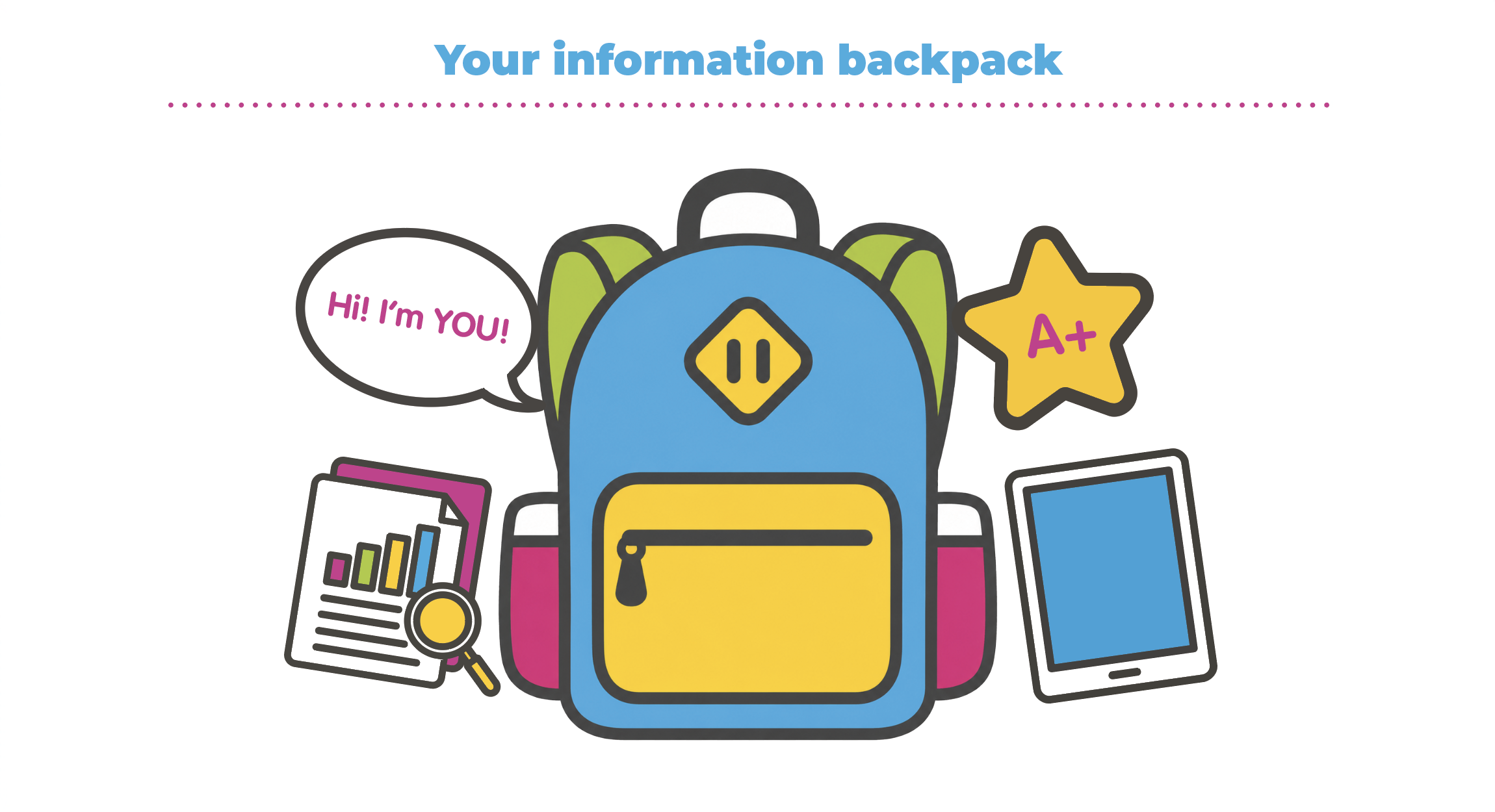
Think of a backpack. Let’s call this your information backpack. Inside, you have your name tag, your favourite snacks, and even drawings you are proud of. These are all pieces that belong to you.
Imagine this Program as like a friend asking to look inside your bag.
Now let’s say that the pieces inside your backpack are your name, age, voice, the games you finish – even the mistake you made when you answer a question. Together, they make up pieces of your data.
It is important to remember that your backpack and everything inside it belongs to you, and you get to choose which pockets to unzip, which to keep secret and which to share. This means that you can choose what you let this Program access.
Your data belongs to you first!

If this Program knew something about you, what would it know?
Is there anything you would want to hide from it?
2. What “data” does this Program collect about you?
FOR THE ADULTS
Our Privacy Policy focuses on 3 different areas: identity, performance and device data. Try to explain those areas in terms a child may understand.
This Program is like a friend that remembers how you learn so it can give you better questions.
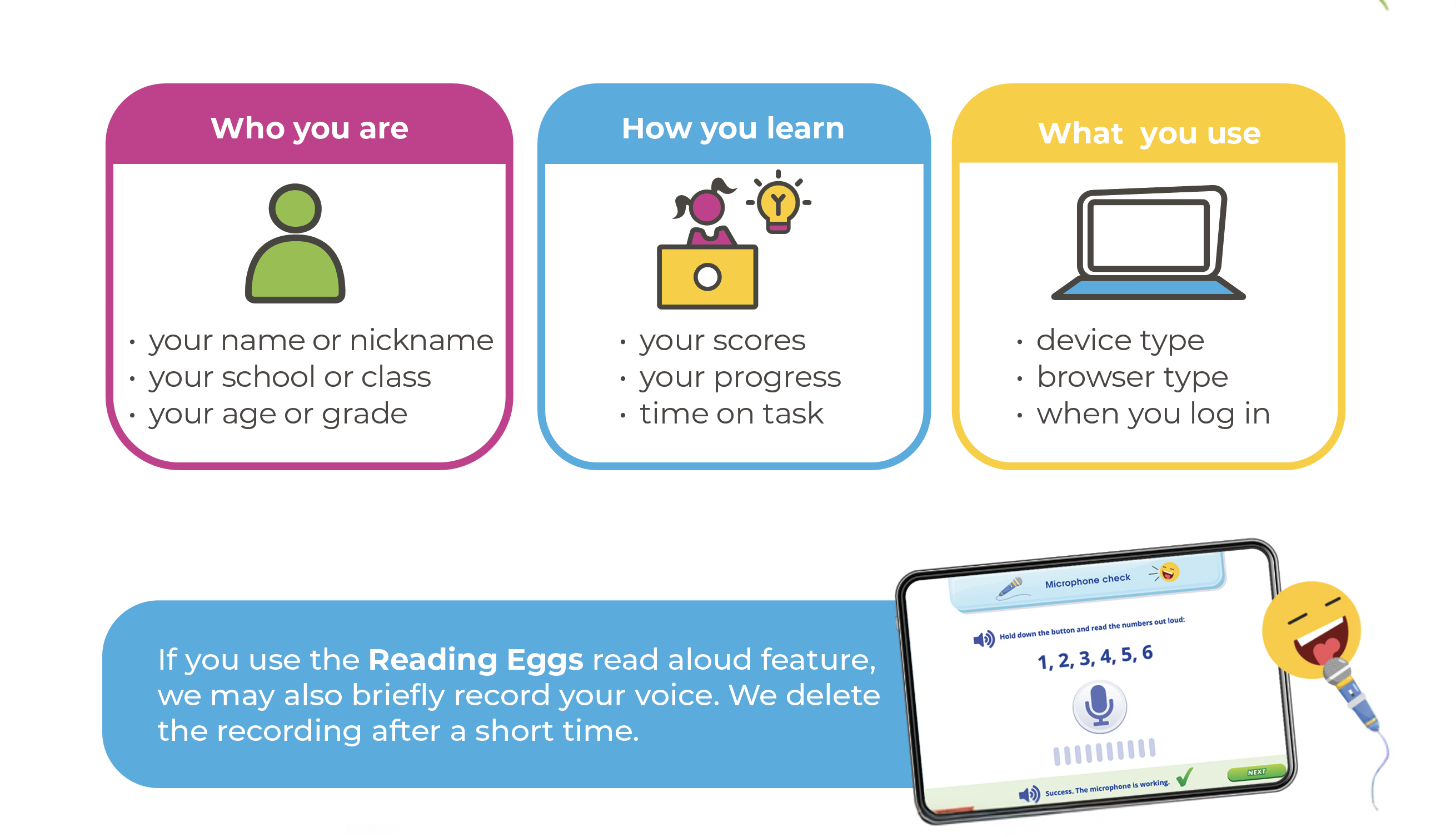
This Program usually collects three kinds of “data” about you:
- Who you are (your name or initials, class, login, your grade or age).
- How you learn (your scores, progress, time spent in answering a question).
- What you use (the type of device and browser you have).
It does not need things like your home address, a photo of you or private conversations. Keep those zipped up in your “information backpack”.
NOTE: If you are using the Read aloud activity, a recording of your voice may be collected for one specific learning activity. This recording is removed after some time passes.
Do you feel strange sharing any of the three kinds of “data”?
3. Why is it collected?
FOR THE ADULTS
There needs to be a “lawful basis” to process children’s “data” for the EdTech industry. When explaining to a child, frame this as a trade-off – i.e. the Program gets something and the child gets something.
Sometimes, this Program might ask to look inside your backpack — not your real one, but your information backpack.
There are rules.
This Program cannot just look inside for no reason. Rules say that they must have a good reason to look inside, and they have to tell you what it is that they will look at.
The reason this Program can look inside your information backpack is to help you learn.
For example:
- If this Program sees that you found some questions tricky, it can give you easier questions next time.
- If the Program notices you spend a long time on something, it can help your trusted adult understand what you might need more help with.
It works like this: You share a few things from your backpack, and this Program uses that to help you learn better.
They are not allowed to use what is in your backpack for other things — like trying to sell you toys or giving your “data” to other companies.
Do you think it’s fair to share a few things from your backpack (your “data”) if it helps you learn better?
What if they wanted to use things from your backpack to try to sell you something that won’t help you learn better – would that be different?
4. Special rules give your information backpack powers
FOR THE ADULTS
Here, we simplify versions of common privacy rights found in data protection laws around the world. Depending on where you live, younger children usually use these rights with the help of a trusted adult — that’s you.
Your 5 Main Backpack Powers – these are special things you can do with your information backpack. You can:
- Look inside → see what is in your backpack
You are allowed to ask what this Program knows about you. They have to freely show you.
- Fix it → change anything that looks wrong
Wrong things written about you can be fixed – a trusted adult (that’s me) how to do this.
- Take things out → empty your backpack by removing something
If you stop using this Program, you can ask it to forget you. Most times, they have to forget you. After you stopped using the program and some time has passed the program will automatically forget you.
- Close it for a while → stop others from using what’s inside (zip it up)
Even if they hold your “data”, you can ask them to stop using it.
- Say “no” → choose not to share some things
The choice to say “no” does not need to be made all by yourself. A trusted adult can help!
Which backpack power would you try first?
If you could take one thing out of your backpack, what would it be?
5. Exercising your rights…
FOR THE ADULTS
We empower children to know their rights. When it comes to exercising their rights, that’s where you step in. You can exercise these rights on the child’s behalf by emailing the Data Protection Officer (DPO). This Program lists their email as privacy@3plearning.com. If there is no good reason that you did not get a response within the month, you can complain to the relevant complaint department in your country, for example, the ICO (if you live in the UK) or the OAIC (if you live in Australia). Refer to the full privacy policy for all contact details.
To use your backpack powers, you don’t need a cape – you just need a trusted grown-up (that’s me) to help.
Together, we can send a message to the company and ask things like:
- Can you show us everything in my child’s information backpack?
- Can you empty my child’s backpack and delete their account?
The company has some time to reply (usually about a month). If they do not answer, or if they say “no” without a good reason, we can ask a special organisation to help make sure they follow the rules. Your trusted grown-up will know how to organise this!
Grown-up words, made simple

—Any information that can identify a specific person – either on its own or combined with other details – such as a username, school or learning activity within this Program.

—Clearly saying “yes” for your Personal Data to be used after you have been told why it is needed. For children, this permission is usually provided by a parent or carer on their behalf.

— The company that decides what Personal Data is collected and how it is used. For schools the school is the data controller.

— A company that handles Personal Data, it does not control what happens to the data.

— The person or a team at the company you write to who helps manage your Personal Data and privacy rights. You can contact them if you want to ask about, access, change or delete information. Their contact details are listed in the Privacy Policy.
Think of this as the start of an ongoing conversation about privacy!
Try revisiting a question every few months – especially when the child starts using a new app.